1
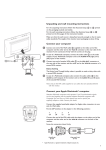
Hanging Your Mirror
Make sure that the cable will reach to a suitable power supply.
Fix to the wall using the Screws and Wall Plugs supplied: Hang the unit from the “keyhole”
slots on the metal bracket. The wall fixings must be 415mm apart.
Turning a sign on and off
When you plug in the sign’s power supply, the sign starts up automatically.
Unplugging the power supply turns the sign off.
For indoor use only.
You can operate the sign in two ways:
z By using personal computer
z By using personal computer (for faster control and unlimited number of messages)
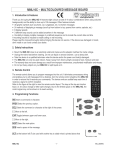
REMOTE CONTROL
The Remote must be used close up to the mirror – not for long range programming.
Point this end of the remote control
at the front of the mirror
-
Press PROG to enter into
text editing mode
Type in your password
(default =”000”), then press
ENTER
Type in: “OPEN: 01”, then
ENTER (ENT)
… Start programming
Hold down ALT and then
press ON/OFF to turn the
sign off and on
Press RUN to exit
programming mode
In text editing mode:
Hold down ALT and then press
GRA to put the sign into one of
these modes: (Use PREV or
NEXT to move from mode to
mode and ENT to select a mode.)
-
To type a special
characters or symbol
GET GRAPH – to get
GRAPHIC A - P
MAKE GRAPH – to make
GRAPHIC A -H
EDIT GRAPH – to edit
GRAPHIC A-P
Press PREV or NEXT
to move from mode to
mode
Use SPA to insert a
blank space between
characters
Hold down ALT and then press
the key to select character or
symbol above it
2