1
Introduction 19
Using with Other Applications
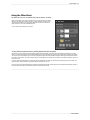
You can use Perfect Effects as an external editor with many other workflow applications such as Adobe Bridge or Apple iPhoto. First check the application user
guide to see if it supports external editors. It should detail how to configure the host application to use an external editor. Generally this will include selecting
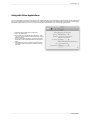
Perfect Effects setting the file type to send to it. It is best to use PSD files if supported. Below are the instructions for configuring iPhoto.
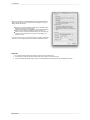
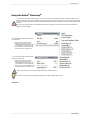
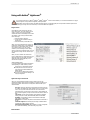
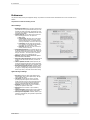
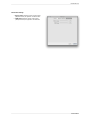
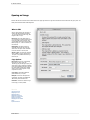
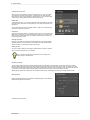
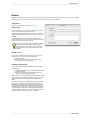
1. Open the Preferences dialog, from the iPhoto menu.
2. Click on the Advanced tab.
3. From the Edit Photos: pop-up select the In Application... option
(note if you have ever selected another external editor, it may be
listed here instead.)
4. From the Choose dialog that appears, navigate the the Perfect
Effects folder, inside the Applications folder and select [Product
Name].
5. In the RAW Photos: option, uncheck the Use RAW when using
external editor option, and check the Save edits as 16-bit TIFF
files option .
Perfect Effects