1
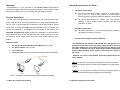
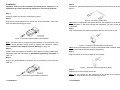
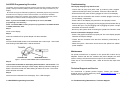
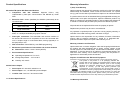
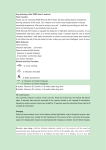
Welcome! Congratulations on your purchase of the Stretch DVITM M1-201DA-TR Optical DVI (Digital Visual Interface) Extension Module. This manual contains information that will assist you in installing and operating the product. System Requirements for Setup Hardware requirements You have to have a DVI graphic controller or card having a DVI port in your PC, SUN or Mac systems. It should support the maximum graphic resolution feature of displays to be connected. No special requirements for memory size, CPU speed and chipsets, if you’ve already properly installed your DVI graphic controllers or cards. Product Description The M1-201DA-TR optical DVI module transmits four (4) optical data, Red, Green, Blue and clock and can be extended up to 1500 meters (4920ft) over two LC multi or single-mode fiber at WUXGA (1920x1200) at 60Hz vertical refresh rate. The EDID (Extended Display Identification Data) in a display can be read and restored by just plugging once transmitter to the display. This Software requirements Self-EDID programming feature makes the installation of M1-201DA-TR No special restrictions, if you’ve already properly installed your DVI graphic controller in your OS. more easy and flexile at any variable resolution display systems. For your convenience, UXGA EDID would have been done before shipment as a AC/DC Power Adapter Technical Advisory default. Shipping Group M1-201DA-TR Optical DVI Extension Module: One (1) pair DC power adapter: Two (2) units User’s Manual Option Product: Duplex LC Patch Cord (Single or Multi-mode fiber). The transmitter (Tx) module of M1-201DA-TR is designed for power protection circuit from conflict of power supply between the external DC power adapter and your graphic card through the DVI pin. It offers an option of whether to use an AC/DC power adapter depending on power supply capability of the graphic card through the +5V pin, you are using. However, the receiver (Rx) module should be supplied by an AC/DC power adapter. Note 1: In general, most of laptops or desktop PCs with PCI Express graphic card require using an AC/DC power adapter for the transmitter module. Note 2: If you use laptop or Desktop PC with PCI Express graphic card, we recommend using 5V power adapter for the transmitter. Figure 1 – Schematic Connection Diagram of Optical DVI Extension Modules 1-1 Welcome, Product Description 1-2 System Requirements for Setup