1
General Precautions
Warnings and Cautions alert users to dangerous conditions that can occur if instructions in the
manual are not obeyed. Warnings are conditions that can cause injury to the operator, while
Cautions can cause damage to the equipment.
CAUTION:
Federal law in the U.S.A., and Canadian law, restricts the sale distribution, or
use of this product to, by, or on the order of a licensed medical practitioner. This
product should be used under the guidance of a medical physicist.
CAUTION:
The “Save” and “Save As” functions of the PIPSpro System are intended solely
to save solutions of interest or potential reuse.  Specific patient information or
identifiers should not be saved using these functions.
CAUTION:
To minimize the potential for computer issues, do not run PIPSpro concurrently
with other software programs.
CAUTION:
For professional use only. As desired by IAEA, English is the default language
for labeling and manuals. If translated versions are available, resolve any
difference in favor of the English versions.
Introduction
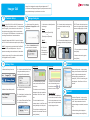
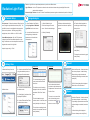
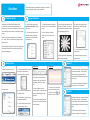
This Quick Start Guide provides basic instruction for how to use the PIPSpro software. This includes
a one-page guide for each module, in the following order:
1.
Imager QA
CAUTION:
Proper use of this product depends on careful reading of all instructions and
labels.
2.
Radiation Light Field
3.
StarShot
CAUTION:
For accurate results in the MLC QA Module the MLC QA Phantom must be
positioned carefully to ensure that the corner spherical marker is aligned to
isocenter and that the supporting arm is perpendicular to the gantry rotation.
4.
Stereotactic
5.
MLCQA
6.
IGRT
7.
Leaf Speed
CAUTION
The MLC module expects all tests to be performed with the collimator at either
0, 90, 180 or 270 degrees. Collimator angle accuracy should be verified before
acquiring images for analysis in the MLC module. Variance in the expected
angle could result in incorrect positions being reported for individual MLC leaves.
WARNING:
Issues identified through the use of this product must be investigated and
appropriately resolved and/or noted.
WARNING:
Proper application of the QC-3 Phantom, QCkV-1 Phantom and/or FC-2 Phantom
requires the use of the PIPSpro Software.
WARNING:
Where applicable, Standard Imaging products are designed to be used with the
versions of common radiation delivery devices, treatment planning systems and
other common computer software products or systems used in the delivery of
ionizing radiation, available at the time the Standard Imaging product is released.
Standard Imaging does not assume responsibility, liability and/or warrant against,
problems with the use, reliability, safety or effectiveness that arise due to the
evolution, updates or changes to these products or systems in the future. It is the
responsibility of the customer or user to determine if the Standard Imaging product
can be properly used with these products or systems.
Please note that this guide only includes the basic instructions for each module, and does not include
every possible detail or function. For more in-depth information (including installation/setup) refer to
the main PIPSpro User Manual.