1
ScanVue5® Mini Kiosk
Quick Start Guide
37681 Rev E
Industrial Electronic Engineers, Inc.
TABLE OF CONTENTS
Introduction ......................................................................................................................3
Hardware & Software required......................................................................................4
Connecting the Price Verifier .........................................................................................4
Ethernet Models.................................................................................................................................... 4
Wireless Models (ScanVue5 models only)........................................................................................... 5
Installing ScanVue5 Demo Software ..............................................................................6
Starting the ScanVue5 Demo Program..........................................................................6
Verifying Network Connectivity.....................................................................................7
Changing Scanvue5 Settings ...........................................................................................7
Factory default network settings ....................................................................................8
Appendix A .....................................................................................................................10
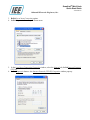
Configure the IP Address on your Laptop (Win98/SE/ME) ............................................................... 10
Appendix B .....................................................................................................................12
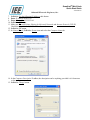
Configure the IP Address on your Laptop (Windows 2000)............................................................... 12
Appendix C .....................................................................................................................18
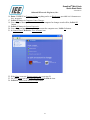
Configure the IP Address on your Laptop (Windows XP).................................................................. 18
2