1
ScanVue5® Mini Kiosk
Quick Start Guide
37681 Rev E
Industrial Electronic Engineers, Inc.
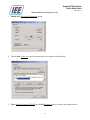
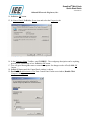
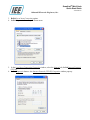
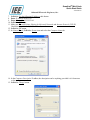
16. Enter SVSERVE in Computer Name, anything can be in Workgroup, provided it is 8 characters or
less , no spaces.
17. Lclick OK button in Computer Name Changes.
18. You will get a Message Box note to restart the computer for changes to take effect, Lclick OK
button.
19. Lclick OK button in System Properties.
20. You will get an Input Box note asking to restart the computer now, Lclick No button.
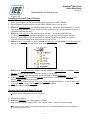
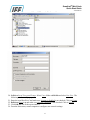
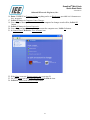
21. In Control Panel, Dclick the User Accounts icon.
22. If the Guest icon says Guest account is on, go to step 29.
23. Or, if the Guest icon says Guest account is off, Lclick the icon.
24. Lclick the Turn On the Guest Account button.
21