1
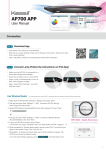
Connect Direct to AP700
Wireless router is not necessary
1 Make sure the AP700 WiFi indicator is flashing and press “Next”.
Kessil_KDxxxxxxxx
2 Exit app and open iPad "Settings" > "WiFi", then connect to AP700. Go back to app
and press "Next".
Kessil_KDxxxxxxxx
3 Create own password for the AP700, then press “Next”.
4 Exit app and return to iPad "Settings" > "WiFi". Connect to the AP700 (WiFi SSID:
Kessil_KDXXXXXXXX) and enter password. Return to app and press "Next".
WiFi SSID : Kessil_KDxxxxxxxx
(WiFi SSID Label can be found on AP700)
5 If only connecting one AP700, press "Done". If connecting more than one AP700,
press "Set Next Lamp" > "Add Another AP700".
i Repeat 1. and 2.
ii Make sure the first AP700’s WiFi SSID is shown and password matches.
iii Press “Next”.
iv Exit app and open iPad “Settings” > “WiFi”. Connect to first AP700.
iv Press “Next” and press “Done” if you have connected all AP700(s). Press “Add
Another AP700” and repeat steps if you have more to connect.
6 Wait for around 30 seconds to load data. (Additional lamps may require longer loading times).
7 When lamp interface appear(s), the AP700(s) can be controlled via app. If no new lamp interface appears, press
at the top right corner.
Control
A
B
Step
KD
C
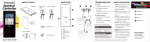
1 “Control Lamp” Interface
A
Group Number: Syncs and controls multiple lamps
B
WiFi SSID: Unique code found on AP700
C
Lamp Status: Indicates Manual Mode or Program Mode
D
Power: Turns AP700 on/off
E
Find Me: Flashes light to indicate location.
* Press "Lamp Status" to control AP700.
D
Step
E
2 Control Instructions
Manual Mode
1 Set Color (Full Spectrum).
2 Set Intensity (from 0% - 100%).
3 "Save Current Color": Saves your combination of Color & Intensity (up to 12
sets). Combinations can be used in Program Mode.
4 "Use Saved Colors"
5 "Demo Effect"
Storm
Cloud
Aurora Rainbow
(Cannot change Color & Intensity
while using demo effects)
Program Mode
1 Standard Template
2 Acclimation Template
3 Lunar Cycle Template
(Templates cannot be changed and saved)
4 5 others customized Quick Set Programs
(Can edit from templates)
A
B
C
2