1
2.1.3 Lens Covers
In order to preclude the loss of the Lens Covers when removed from the
optical path of the Sight, the Lens Covers should be removed downwards.
The rubber string will then attach around the Sight and mount.
2.2 OPERATING PROCEDURES
2.2.1 Zeroing
The Sight is delivered in a centered position. Normally this means that only
small adjustments are necessary, providing that the weapon rail (Picatinny
Rail) or carrying handle is properly aligned.
CAUTION: Do not continue to adjust windage and elevation mechanisms if
you encounter resistance.
The elevation adjustment screw is located on top of the sight, while the
windage screw is located on the right side.
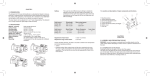
a)Open (remove) front and rear Lens Covers (13).
b)Turn the Knob Switch (10) clockwise until the red dot has a sufficient intensity to contrast against the target.
c)Remove the the Caps Adjustment (1) for windage and elevation.
NOTE: Each click of the Screw Adjustment (11) corresponds to a 16 mm
movement of the point of impact at 100 meters, (4 mm at 25 meters and 32
mm at 200 meters or 1⁄2” at 80 yds).
d) Insert adjustment tool (coin, screwdriver, knife) or cartridge casing in
adjustment screw slot and turn as follows:
•To move the point of impact to the right, turn windage adjustment screw counter clockwise
• To move the point of impact to the left, turn windage adjustment screw clockwise
•To move the point of impact up, turn elevation adjustment screw counter clockwise.
•To move the point of impact down, turn elevation adjustment screw
clockwise.
e)Confirm zeroing by firing at least three shots at a zeroing target. Check points of impact on zeroing target to confirm accuracy and repeat above procedure if required.
f) After initial firing, ensure that the Mount and Sight are secure.
g)Turn Knob Switch (10) to OFF position (counter clockwise).
h)Close front and rear Lens Covers.
CHAPTER III
CHAPTER V
Operation under extreme conditions
Maintenance
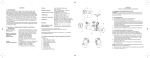
a)Extreme heat (moist or dry). No special procedures required.
b)Extreme cold. Extreme cold might shorten battery life.
c)Salt air. No special procedures required.
d)Sea spray, water, mud and snow. Ensure that Cap Battery (4) and the two
Caps Adjustment (1) are tightened before exposing the sight to sea spray,
mud, snow or before immersing the sight in water. Hand tighten only. Keep
Lens Covers closed when sight is not being used. Clean lenses with lens
paper/cloth and wipe the sight dry as soon as possible after exposure to water,
sea spray, mud or snow.
e)Dust storms and sand storms. Keep Lens Covers closed when sight is not
being used.
f) High altitudes. No special procedures required.
a)This Sight does not require any particular maintenance while used under
normal conditions.
b)Under severe weather conditions please refer to chapter III.
c)Keep Lens Covers closed whenever the sight is not in use.
d)Warehouse storage: Remove battery and allow lens surfaces to dry completely
(if wet) before closing the lens covers.
e) To clean lenses refer to CAUTION in chapter III.
Operator and Maintenance Manual
for
Aimpoint CompM4s™
including
QRP2, Spacer & killFlash™
CAUTION: The lenses shall never be cleaned with fingers but with lens paper/
cloth. If no lens paper/cloth available :
- To clear away debris (sand, grass etc): blow away the dirt.
- To clean lenses: mist up the lenses and clean them with a soft piece of cloth.
CHAPTER IV
Trouble shooting procedures
4.1 RED DOT DOES NOT APPEAR
Discharged battery: Replace battery.
Battery installed incorrectly: Remove and reinstall battery with (-) toward cap.
Battery is not making contact: Clean contact surfaces and reinstall battery.
Defective Knob Switch: Notify dealer/armourer.
4.2 IMPOSSIBLE TO ZERO
Adjustment screw is at its limit: Check alignment of rail (or carry handle) to barrel.
Impact point is moving: Check Mount and weapon rail (or carry handle) stability.
Aimpoint AB
Jägershillgatan 15
SE- 213 75 Malmö, Sweden
Phone +46 (0)40 671 50 20
Fax +46 (0)40 21 92 38
e-mail: info@aimpoint.se
www.aimpoint.com
Aimpoint Inc.
14103 Mariah Court
Chantilly, VA 20151-2113, USA
Phone +1 703-263-9795
Fax +1 703-263-9463
e-mail: info@aimpoint.com
www.aimpoint.com
© 2007 - Contents property of Aimpoint - All rights reserved - Art. No. 12171