1
USP SecNET access control management system user manual
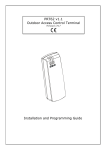
Note: Please read the manual before installation of NAC8000N Access
Controller
JSM0045006-41
Index
1.1
1.2
2.1
2.2
Summary ...........................................................................................................................4
Product Feature .................................................................................................................4
Access Control(NAC8000N) Installation .........................................................................6
TCP/IP Connection ...........................................................................................................7
2.2.1Straight Cable....................................................................................................................7
2.2.2 Cross Cable ......................................................................................................................8
2.3
Installation Environment...................................................................................................8
2.4
MSDE Database Installation .............................................................................................8
2.5
Software Installation .........................................................................................................9
2.6
Database Linkage Setup....................................................................................................9
2.7
System Login ..................................................................................................................10
3.1 Menu Operation ........................................................................................................................12
3.2 controller Connection................................................................................................................13
3.2.1 Connection .....................................................................................................................13
3.2.2 Quick Setup....................................................................................................................15
3.2.3 Add Controller ...............................................................................................................16
3.3 Controller ..................................................................................................................................17
3.3.1 Controller name and MAC Address Editor....................................................................17
3.3.2 Reader Setup ..................................................................................................................17
3.3.3 Input ...............................................................................................................................18
3.3.4 Temper and Fire .............................................................................................................19
3.3.5 Output (Relay) ...............................................................................................................19
3.3.6 Net and GMT .................................................................................................................20
3.3.7 Advanced........................................................................................................................21
3.4 Door Setup ................................................................................................................................21
3.4.1 Door new........................................................................................................................21
3.4.2 General...........................................................................................................................22
2.4.3 Event ..............................................................................................................................24
2.4.4 Advanced........................................................................................................................25
2.4.5 Alarm System Link ........................................................................................................26
2.4.6 Video system link...........................................................................................................27
3.5 Schedule Setup..........................................................................................................................28
3.5.1 Date................................................................................................................................29
3.5.2 Date Group.....................................................................................................................29
2 / 79