1
7.6.15 BRIDGE
BRIDGE [port]
The bridge command will bridge one peripheral to another.
Options are:
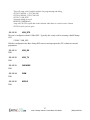
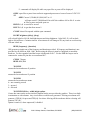
USBSERIAL1
Connect USB to UART1
USBSERIAL2
Connect USB to UART2
USBSERIAL3
Connect USB to UART3
DEBUGSERIAL1 Connects Console IO to UART1
DEBUGSERIAL2 Connects Console IO to UART2
DEBUGSERIAL3 Connects Console IO to UART3
DEBUGUSB
Connects Console IO to USB
Its up to the user to avoid bridging IO improperly. The CFGIO command should be used to assign port
pins to the peripherals as needed.
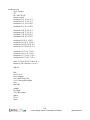
Example1:
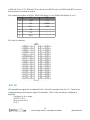
CMD CDC
'Configure Command Port to USB CDC
cfgio 4 serial2_tx 115200 N81
'Configure Command Port to SERIAL2
cfgio 3 serial2_rx 115200 N81
BRIDGE DEBUGSERIAL2
This configuration will allow you to use either the USB or UART2 as command port. It is most useful
when debugging a connection to a microprocessor through UART2. You can see what commands the
microprocessor is sending to the ezLCD-3xx.
If you were using the SERIAL2 as your console connection you could use
BRIDGE DEBUGUSB
This would allow the user to DEBUG the UART2 interface.
Example2:
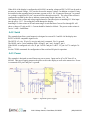
cfgio 4 serial2_tx 115200 N81
cfgio 3 serial2_rx 115200 N81
cfgio 6 serial1_tx 9600 N81
cfgio 2 serial1_rx 9600 N81
CMD SERIAL2
BRIDGE USBSERIAL1
'Configure Command Port to SERIAL2
'Configure Command Port to SERIAL1
This would allow the UART2 as the console port and USB and UART1 are bridged together (not
console). This configuration can be used to program an Arduino or Basic Stamp in circuit. You must
also enable DTR and RTS to reset those products during programming.
49
3184-J Airway Avenue, Costa Mesa, CA 92626
(949) 248-2333