1
Contents
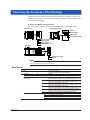
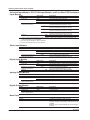
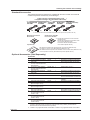
Checking the Contents of the Package........................................................................................................................5
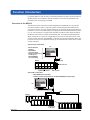
Function Introduction....................................................................................................................................................9
Overview of the MX100..............................................................................................................................................9
Flow of Operation during Installation........................................................................................................................10
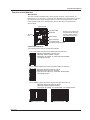
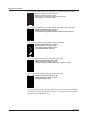
Function of the Modules...........................................................................................................................................11
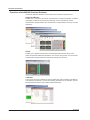
Functions of the MX100 Standard Software.............................................................................................................14
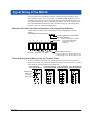
Signal Wiring of the MX100.........................................................................................................................................15
Attachment Position and Channel Numbers of the Input/Output Module.................................................................15
Terminal Arrangement Markings on the Terminal Cover...........................................................................................15
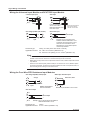
Wiring the Universal Input Module and DCV/TC/DI Input Module............................................................................16
Wiring the Four-Wire RTD Resistance Input Modules..............................................................................................16
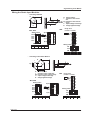
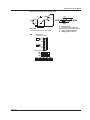
Wiring the Strain Input Modules................................................................................................................................17
Wiring the Digital Input Modules (-D05, -D24)..........................................................................................................21
Wiring the Analog Output Modules...........................................................................................................................22
Wiring the PWM Output Modules.............................................................................................................................22
Wiring the Digital Output Module..............................................................................................................................23
Connection to the Network..........................................................................................................................................24
Connecting the Ethernet Cable to the Main Module.................................................................................................24
Checking the Communication Status........................................................................................................................24
Connection to the PC................................................................................................................................................24
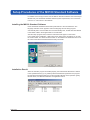
Setup Procedures of the MX100 Standard Software.................................................................................................25
Installing the MX100 Standard Software..................................................................................................................25
Installation Result.....................................................................................................................................................25
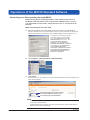
Operations of the MX100 Standard Software............................................................................................................26
Connecting to or Disconnecting from the MX100.....................................................................................................26
Setting the Acquisition Conditions of the Measured Data.........................................................................................30
Setting Measurement Conditions..............................................................................................................................32
Monitoring the Measured Data and Setting the Display...........................................................................................35
Pausing the Updating of the Monitor Display and Reading Measured Values Using Cursors..................................40
Recording the Measured Data..................................................................................................................................41
Setting Alarms...........................................................................................................................................................42
Digital Output............................................................................................................................................................44
Setting the Computation...........................................................................................................................................46
Saving/Loading and Printing of Setup Data (Project)...............................................................................................46
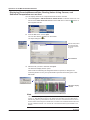
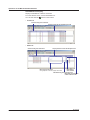
Displaying Recorded Measured Data, Reading Values Using Cursors, and Statistical Computation over an Area48
Printing the Displayed Data......................................................................................................................................53
Converting the Format of the Recorded Measured Data..........................................................................................53
IM MX100-02E