1
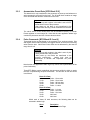
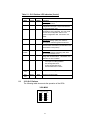
All counters in the Slave Error Table will rollover to 0
after reaching 32767
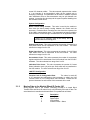
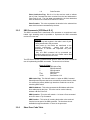
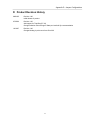
Product Name: These two words represent the product name of the
module in an ASCII representation. In the case of the LNG product, the
letters ‘ LNG ‘ should be displayed when placing the programming
software in the ASCII data representation mode.
Revision : These two words represent the product revision level of the
firmware in an ASCII representation. An example of the data displayed
would be ‘1.10’ when placing the programming software in the ASCII
data representation mode.
Blank: Not used at this time
Production Run Number: This number represents the ‘batch’ number
that your particular chip belongs to. This should help the factory
determine when the User’s chip was created.
3.2.7
Error Status Codes
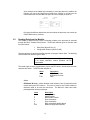
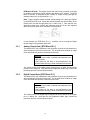
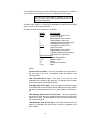
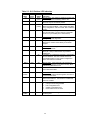
The Error Codes returned in the Slave Error Code Table reflects the outcome of
the commands and responses executed by the module. Note that in all cases, if
a zero is returned, there was not an error. Valid Error Status Codes are as
follows:
(The following error code list has not been defined
in the Beta version of the module)
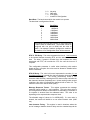
Code
0
1
20
Description
All OK
Illegal Function
An illegal function code request has been
received from the master
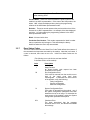
Port Configuration Error
If this value is returned from the module, one or
both of the serial ports have been
misconfigured. To determine the exact source
of the problem, verify the following:
Parity configuration
Stop bit configuration
Baud rate configuration
21
System Configuration Error
If this value is returned from the module, one of
the system configuration parameters has been
determined to be out of range. To determine the
exact source of the problem, review the System
Configuration parameter descriptions
254
Checksum Error
The slave determined that the message
checksum was in error, and therefore discarded
the message
17