1
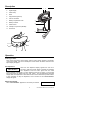
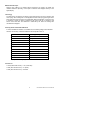
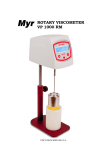
Description
1.
Function button
2.
Digital display
1
3.
Stand clamp
4.
Rotor
5.
Support stand (optional)
6.
Point of orientation
7.
Battery compartment screw
8.
Battery container
9.
Stand mounts
2
3
4
10. Clamps for Cups A & B (345055)
11. Drive shaft
5
6
9
7
10
8
9
10
11
Operation
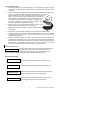
Powering the meter
Firmly press and hold the function button until the model number appears on the display
(VT1 for the 345055, VT2 for the 345060).The model number will switch off and the zero
adjust display will appear.
Zero Adjustment
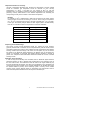
When the zero adjustment display appears the user has 3
seconds to press the function button to activate the automatic
zero adjustment. Press the button again when the model
number appears on the display. The zero adjustment will now run (approx. 13 second test
time during which the display will show ‘CAL WAIT’). The zero adjustment eliminates
display offset. The adjustment is made with the device in the measurement position without
a rotor connected. To skip the adjustment, wait 3 seconds and the ‘MEASUREMENT’
display will appear.
ZERO ADJUST?
Measurement Display
When ‘MEASUREMENT’ appears the unit is ready to measure.
3
MEASUREMENT
Model 345055 & 345060 Version 4.0 December 2005