1
Battery Installation
Install the battery as shown in the picture paying
attention to the (-) and (+) polarity symbols. The
device will not work if the battery is not installed
correctly.
9V
Battery
After the battery is installed, attach the control unit in
the correct direction and twist to secure. To assure a
water tight seal, be sure that this cover is closed
completely.
Turning on the Device
Press the green button once. The LED will light up and
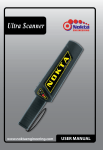
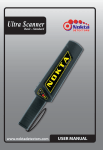
a long warning tone will be heard. Nokta Pointer is
ready for use. Be sure there are no metal objects
around at start up.
Turning off the Device
Press and hold the green button. Six (6) short warning
tones will be heard and the device will turn off.
Mode Change
Press the gray button for 3 seconds. A short warning
tone will be heard. The device will switch from the audio
mode to the vibration mode. When pressed and held
again, it will switch to the audio and vibration mode.