1
INTEG Process Group, Inc.
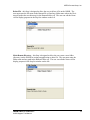
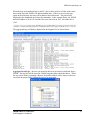
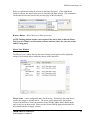
Annotate Pull Down – the user can enter a revision, date and comment that are stored
with the macro file to help describe the purpose of the macro file.
Macro File Overview Window
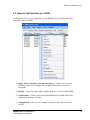
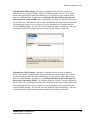
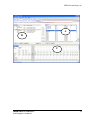
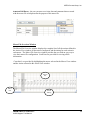
The Macro File Overview window displays the complete list of all the actions defined in
the Action View window, all the macros configured, and the timing for each action in
each macro. The Macro File Overview window provides the user with an easy way to
view their macro file configuration. Scroll bars are provided for viewing all the
information.
‘Cross hairs’ are provided by highlighting the macro selected in the Macro View window
and the Action selected in the Action View window.
Action
List
Macro
List
Action
Timing
JNIOR
A Network I/O Resource
JNIOR Support Tool Manual
58