1
Kit Aprilia Multimedia Platform (AMP) Caponord 1200 MY 2013-2014
Installation kit code: 2S000088 + 2S000049
- 1st download from the APP Store “Aprilia Multimedia Platform”
- Activate Bluetooth function on your iPhone/iPod/Android
- Search for 'AMP' device.
- Connect 'AMP' device.
After the first connection, AMP will connect automatically at key-on. Once the connection has been
established, the app will start automatically on the device and screen is unlocked. The app is
automatically closed at key-off. A sound and a screen image will remind to take your
iPhone/iPod/Android from the bike.
Remarks:
After a key-off event, the app cannot start automatically before 20s, in case of missing connection,
close the app with the 'exit' button or cancel it from the background menu and start the app again
manually. If the previously paired device is outside the connection range, after 20s AMP can be paired
with a new iPhone/iPod/Android.
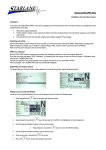
The app establishes a wireless-bluetooth connection between your vehicle and your iPhone/Android
transforming it into a sophisticated multifunction on board computer that is always on the Net. The
iPhone/Android touch screen panel allows you to configure the Dashboard between four different
gauges with any one of these parameters; Speedometer, RPM indicator, engine power and torque,
instant and average fuel consumption, suggested gear, longitudinal acceleration and extended trip
computer. These are but a few of the functions available.
Two different dashboard styles (Analog or Digital) can be switched at any moment at your convenience
(Analog only available on Apple devices). A blinking of AMP virtual dashboard indicates Aprilia Traction
Control (ATC) intervention and you can set a useful shift light at your favourite RPM. The shift light
may be deactivated or left in automatic mode: in this way the maximum suggested RPM is calculated
based on coolant temperature.