1
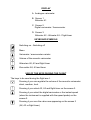
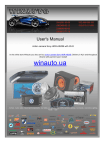
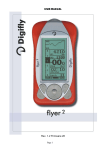
DISPLAY
A: Analogue variometer
B: Screen 1
Altimeter A1
C: Screen 2
Digital variometer / Anemometer
D: Screen 3
Altimeter A2 - Altimeter A3 - Flight timer
KEYBOARD SYMBOLS
Switching on - Switching off
Menu
Variometer / anemometer variator
Volume of the acoustic variometer
Altimeters A2, A3 and flight timer
Zero-setter A2, A3 and timer
USE OF THE KEYS DURING THE FLIGHT
The keys to be used during the flight are 4.
Pressing it you can regulate the volume of the acoustic variometer:
silent, medium, loud.
Pressing it you select A2, A3 and flight timer on the screen 3.
Pressing it you select the digital variometer or the instant speed
(when the instrument is supplied with the speed probe) on the
screen 2.
Pressing it you zero the value now appearing on the screen 3
(A2, A3 or flight timer).