1
Contents
1
Introduction
1
2
2.1
2.2
2.3
3
3.1
Getting Started
Achieving the Best Performance
Safety Instructions
Recycling Kramer Products
Overview
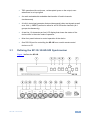
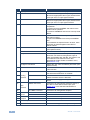
Defining the SP-1G 3G HD-SDI Synchronizer
2
2
3
3
4
5
4
4.1
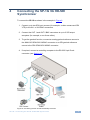
Connecting the SP-1G 3G HD-SDI Synchronizer
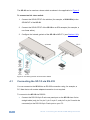
Connecting the SP-1G via RS-232
7
8
5
5.1
5.2
Operating the SP-1G
Using the LCD Display
Using the Front Panel Buttons
9
9
10
6
6.1
6.2
6.3
6.4
6.5
6.6
6.7
6.8
6.9
6.10
6.11
6.12
Using the SP-1G Menus
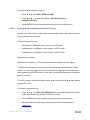
Loading Setups
Saving Setups
Using the Factory Reset
Setting the Video Signal
Setting the Image Size and Position
Setting the Genlock
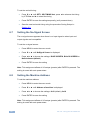
Setting the No-Signal Screen
Setting the Machine Address
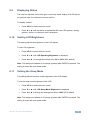
Displaying Status
Setting LCD Brightness
Setting the Sleep Mode
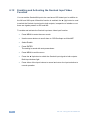
Enabling and Activating the Genlock Input Video Function
11
14
14
14
15
16
18
20
20
21
21
21
22
7
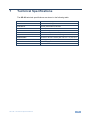
Technical Specifications
23
8
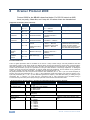
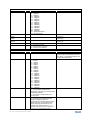
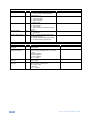
Kramer Protocol 2000
24
Figures
Figure 1: SP-1G 3G HD-SDI Synchronizer
Figure 2: Connecting the SP-1G 3G HD-SDI Synchronizer
Figure 3: Connecting the SP-1G as a Clean Switch
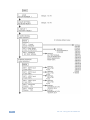
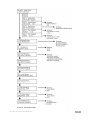
Figure 4: SP-1G Menu Map
5
7
8
13
SP-1G – Contents
i