1
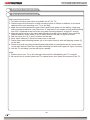
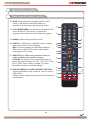
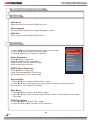
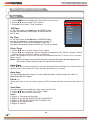
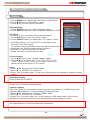
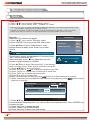
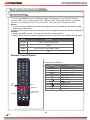
General Description Overview of remote control 1. SOURCE: This button is used to switch among different sources, select a source and press ENTER button to confirm. SOURCE 2. POWER: Turn the TV on and off. 1 2 3 3. Digital Buttons(0-9,-): Directly select channel with digital buttons. 4 5 6 7 8 9 0 4. CH RTN: Return the Ginga. 5. LIST: Press it to show channel list and favorite list on screen. LIST GINGA MENU P.MODE 6. MENU: Display the main menu or exit the current menu. S.MODE ENTER 7. INFO: Display the program information. 8. Arrow buttons : Use to select on-screen menu items and change menu values. Use to fast backword/forword when PVR or USB files is playing INFO EXIT VOL CH GUIA 9. ENTER: Validation key. ASPECT 10. EXIT: Exit the menu. 11. P.MODE: Press this button to select among Normal, Mild, User, Sports . 12. S.MODE: Press this button to select among Standard, Music, Movie, Sports, User. 13. ASPECT: Press this button to switch the screen mode. 14. VOL+/-: Press these buttons to adjust the volume. 15. CH/: Press these buttons to change channel upward or downward. 16. MUTE: Press this button to cut off the sound of the TV set temporarily, press again to resume. 14 14 MTS/AUD CC/SUBT