1
The CMUcam1 AppMod vision system
The goal of this product is to give you as simple a plug-n-play experience as possible.
Plug in the hardware, upload the demo code then press the buttons and watch your BoeBot use it’s new
vision system to “see” and respond to it’s environment.
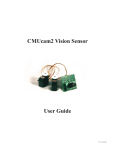
The CMUcam1 AppMod vision system consists of a CMUcam1 vision system mounted on a plug in
AppMod board.
Included on the AppMod board is a simple user interface consisting of two buttons, eight LED’s and one
piezo speaker. The user interface serves these three purposes –
1) A simple menu selection system which works with the included demo code to allow you to select and
run one of eight robot vision demonstration programs.
2) Provide visual feedback from the LED’s as the demo programs run showing where the CMUcam1 is
seeing the tracked target.
3) Indicate the color of objects it see’s by illuminating the red leds for a red object, green led’s for a green
object and yellow led’s for a yellow object.
With some clever circuitry on the AppMod board the two buttons, eight led’s and one piezo speaker only
require four I/O pins on your Basic Stamp2 thereby conserving I/O pins for other uses.
CMUcam1 AppMod package
Your CMUcam1 BoeBot package should include –
1. A CMUcam1 mounted on an AppMod user interface board.
2. This printed user manual.
3. A CD-ROM that includes demo programs.