1
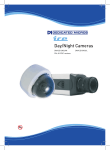
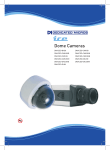
This booklet contains instructions for installing the HyperD camera. Please read the safety
instructions before you begin and keep this booklet for future reference. A local monitor (not
supplied) is normally required to adjust the position and settings of the camera. All cameras are
fitted with a Direct Drive/Auto Iris lens connector, have adjustable back focus and can accept C and
CS lenses.
Models
DM/ICE-HYPER-D Colour/Mono High Resolution 480 TVL 1/3” DPS™ 1.0 lux at F1.2 11-40 VDC 12-30VAC
3
HyperD Camera
Introduction
2
4
1
3
1.
2.
3.
4.
2
Back focus mechanism locking screw (b oth sides)
Back focus adjustment (Top & bottom)
Mounting bush (Top & bottom)
AI lens connector (DC & video)
Dedicated Micros ©2007