1
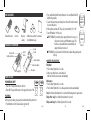
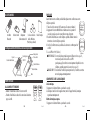
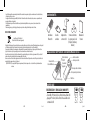
ENCLOSURES
Bluetooth Headset
Ear hook
A/C power
adapter
3 different size ear Bud User manual
(Small, Medium, Large)
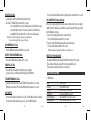
HEADSET OVERVIEW
ON/OFF
Button
Indication LED
Multifunction Button
Speaker
Ear Bud
Volume Up Button
Volume Down Button
Microphone
Charging Port
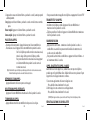
HOW TO USE
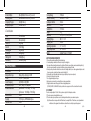
POWER ON/ OFF
Power On : Please push the button to ON side.
Power Off : Please push the button to the opposite direction of ON.
Power ON
PAIRING
Before you use headset, please pair your headset with mobile phone first.
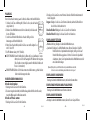
1. Push the button to ON. (Ensure headset is turned ON)
-1-
Power OFF
English
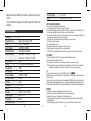
2. Press and hold the Multi-Function Button for 4 sec. until Blue & Red LED
Active Dev List
light flash repeatedly.
Model Name
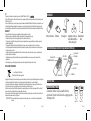
3. Search the headset via your mobile phone. Please follow the instruction Headset
of your mobile phone.
4.reference
4. When you find your headset R7, Please select it and confirm by “Yes” or “OK”
5. Enter PIN Number ‘0000’(4 zeros).
Active Dev List
Input PIN Code
Model
Name
SIMPLE PAIRING: If your mobile phone supports bluetooth core
spec
2.1,
Headset
0000
then you don’t need to put PIN number to pair. (This
function is only available when your mobile phone
5.reference
supports bluetooth version 2.1)
EASY PAIRING: If you use headset for the first time, headset will go pairing mode
directly.
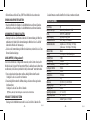
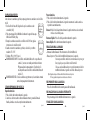
HOW TO PLAY MUSIC
Play Music
1. Press Volume Up button for 2 seconds.
2. Music stops when there is an incoming call.
After the call ends, music resumes automatically.
Music pause
1. Press Volume Up button for 2 seconds.
2. Press Volume Up button for 2 seconds again, music resumes automatically.
Stop: Press Volume Down button for 2 seconds while listening music or pause mode.
Skip to Prev. Song: Press Volume Down button for 4 seconds.
Skip to next Song: Press Volume Up button for 4 seconds.
-2-
English
Input PIN Co
0000