1
3.3.1
3.3.2
3.3.3
3.3.4
3.3.5
3.3.6
3.3.7
3.3.8
3.3.9
4
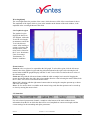
View Menu: Scope Mode
View Menu: Absorbance Mode
View Menu: Transmittance Mode
View Menu: Irradiance Mode
View Menu: Channel
View Menu: Change Graph Scale
View Menu: Graphic Reset
View Menu: Autoscale Y-axis
View Menu: Goto Preset Scale
35
35
35
35
37
37
37
37
37
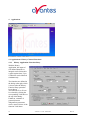
APPLICATIONS
38
4.1
Applications: History Channel Functions
4.1.1
History Application: Function Entry
4.1.2
History Application: Start Measuring
4.1.3
History Application: Display Saved History Graph
38
38
42
43
4.2
Applications: Wavelength Calibration
4.2.1
Calibrate Wavelength Application: Perform New Calibration
4.2.2
Calibrate Wavelength Application: Restore Original Calibration
46
46
47
4.3
Applications: Color Measurement
4.3.1
Color of an Object - Background
4.3.2
Menu option: Color Measurement
4.3.2.1
LABChart
4.3.2.2
Time Series
48
48
49
50
54
4.4
Applications: Absolute Irradiance Application
4.4.1
Quick Start
4.4.2
Load Intensity Calibration
4.4.3
Perform Intensity Calibration
4.4.3.1
Select Calibrated Lamp
4.4.3.2
View/Edit Lamp Data
4.4.3.3
Select Fiber Diameter
4.4.3.4
Start Intensity Calibration
4.4.4
Select Output Parameter(s)
4.4.5
Time Series Measurement
58
59
61
61
61
62
62
62
64
67
4.5
Applications: Process Control Application
4.5.1
Installation of the NI-DAQ software
4.5.2
Installation of the PCI-6503 hardware
4.5.3
Configure and test the PCI-6503 card
4.5.4
Using the Process Control Application in AvaSoft
70
70
70
70
73
4.6
Applications: Excel Output
4.6.1
Select Source Data
4.6.2
Enable Excel Output
4.6.3
Settings
4.6.4
Start Output
4.6.5
Stop Output
4.6.6
Limitations and Optimization Notes
75
75
75
76
80
80
81
5
HELP
82
Mar-02
AvaSoft 5.1 FULL manual.doc
Avantes
website: http://www.avantes.com
3
email: Info@avantes.com