1
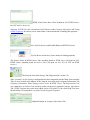
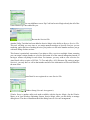
After updating to a new version of Invoice Magic, IVM (Before:
Program Open) confirms to the user that some files have been successfully updated (If
applicable).
Installing Invoice Magic
<< Back to Table of Contents
Once you have downloaded the software, locate the installation file. If you are using a recent
Windows OS (Operating System), you should be able to locate the file in your Downloads folder
(Example: C:\Users\UserName\Downloads).
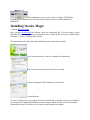
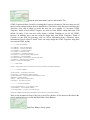
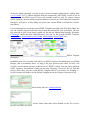
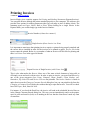
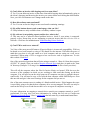
The screenshots below show the entire installation process from start to finish:
Press Next to proceed or Cancel to Abandon the Installation.
End User License Agreement (Check box to accept)
Choose Destination Folder (Default is usually fine!)
Create Shortcuts
The next two dialog boxes are simple; the first to confirm that everything is going to be installed
to your specifics (optional Back Button to make changes) and the last one is to Activate and/or
Launch the software. From here you are ready to start using Invoice Magic!