1
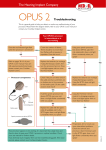
Check your batteries’ operation:
•Clean the battery contacts using
the cleaning brush provided.
•Wipe the battery contacts with a
soft clean cloth, to remove any
moisture.
•When using new High Power
Zinc Air batteries, be sure to wait
for one minute after removing the
protective tabs before placing
them into the ESPrit 3G.
•Change your batteries.
High Power Zinc Air batteries
may cease to work in very cold, or
extremely humid conditions. In
these instances, it is recommended
that you use Silver Oxide
batteries.
Follow the steps below to identify
where the fault may be. After each
step, check to see if you can hear
sound.
If you still hear no sound after
taking the following actions,
contact your clinician, implant
centre or your nearest Cochlear
office.
Check the switches and controls:
•Switch the ESPrit 3G OFF for
about three seconds, and then ON
again (top control: O, P1, P2).
•Adjust the volume or sensitivity
control (top control: numbers).
•Adjust the mode switch to the
Check your microphone
Check your transmitting coil and
cable’s operation:
2
Score ------------------------------
Score ------------------------------
•The transmitting coil is correctly
positioned over your implant.
2/25/2003, 10:07 AM
have your ESPrit 3G microphone
repaired.
3.Using the monitor earphones,
have a hearing person, e.g. friend,
parent or caregiver, check the
microphone signal (sound output).
For more information, refer to
your ESPrit 3G User Manual on
any of the above.
Cochlear Ltd (ABN 96 002 618 073) 14 Mars Road, Lane Cove NSW 2066, Australia
Tel: 61 2 9428 6555 Fax: 61 2 9428 6352
If the output signal from the
microphone diminishes
significantly:
1.Use the microphone puffer to
dry any moisture.
2.Attach and use the lapel
microphone. If you can hear sound
using your lapel microphone your
ESPrit 3G microphone is faulty. As
a temporary measure you can
continue to use the lapel
microphone until you are able to
Cochlear Americas
400 Inverness Parkway
Suite 400
Englewood CO 80112
USA
Cochlear Europe Ltd
22-24 Worple Road
Wimbledon
London SW19 4DD
United Kingdom
Cochlear AG
Margarethenstrasse 47
CH - 4053 Basel
Switzerland
Tel: 1 303 790 9010
Fax: 1 303 792 9025
Tel: 44 20 8879 4900
Fax: 44 20 8946 9066
Tel: 41 61 205 0404
Fax: 41 61 205 0405
Cochlear GmbH
Karl-Wiechert-Allee 76A
D-30625 Hannover
Germany
Nihon Cochlear Co Ltd
Ochanomizu-Motomachi Bldg
2-3-7 Hongo, Bunkyo-Ku
Tokyo 113-0033
Japan
Cochlear (HK) Ltd
21F Shun Ho Tower
24-30 Ice House Street
Central
Hong Kong
Tel: 81 3 3817 0241
Fax: 81 3 3817 0245
Tel: 852 2530 5773
Fax: 852 2530 5183
Tel: 49 511 542 770
Fax: 49 511 542 7770
www.cochlear.com
Score ------------------------------
Steps to Identify the Fault
N95515F ISS1 D01mas.p65
•The transmitting coil is not
damaged.
•The cable is not bent, twisted,
worn or broken.
•The cable plug is secure in the
socket of your ESPrit 3G.
If there is no signal, replace the
transmitting coil and cable, and
check if you can hear any sound.
If there is still no signal, test using
the Signal Check.
correct setting for your current use
(base control).
------------------------------ Score
------------------------------ Score
------------------------------ Score
•The microphone is faulty or its
ports are blocked.
•The transmitting coil and cable
set is faulty.
•The transmitting coil and cable
are not connected.
•Your ESPrit 3G has a fault.
Nucleus is a registered trademark of Cochlear Limited.
ESPrit is a trademark of Cochlear Limited.
PRINTED IN AUSTRALIA
N95515F ISS1