1
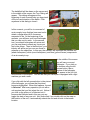
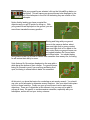
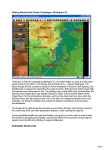
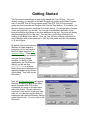
The battlefield will be drawn on the screen and
in the middle of the screen, the Turn Dialog will
appear. This dialog will appear at the
beginning of each turn and help you keep track
of the turn and duration of the battle. Click
anywhere in this dialog to close it.
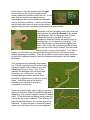
In this scenario, you will be in command of
an air cavalry troop that has been sent out to
attack a village where NVA forces are
suspected to be. At the beginning of the
scenario, you will have your scout helicopter
that you can use for recon. In the second
turn, your attack helicopters will arrive and
you can use those to attack any forces you
find in the village. Then in the third turn, your
infantry will arrive and you can use those to
advance on the objectives. In this way, the scenario will represent the classical red
(attack helicopters), white (scout helicopters), and blue (ground forces) components
of an air cavalry troop.
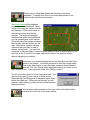
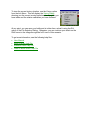
In the middle of the screen
you will see your scout
helicopter. If you click on
its location using the left
mouse button, then a
picture of the helicopter
will appear in the Unit List
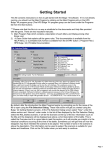
at the bottom of the screen. You will see that your helicopter is equipped with a light
machine gun and a radio.
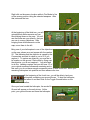
If you click with the left mouse button in the picture
of the helicopter, you will see that its picture
becomes highlighted. When this happens, the unit
is Selected. Most every operation you do with a
unit requires that you first select the unit. Notice if
you click on the picture of a Selected unit, it
becomes de-Selected and in this way you can
toggle the state of any one unit. Also notice that if you double-click on the map on
the location of the unit, it automatically selects the unit and all units in that same
location.