1
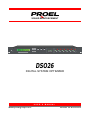
DSO26 User Manual
DSO26 Quick Reference
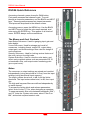
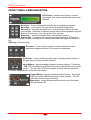
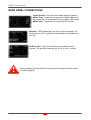
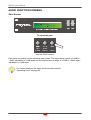
Accessing channels: press channel’s GAIN button.
First press accesses that channel’s gain. To scroll
through a channels parameters, use the BACK and NEXT
keys. Second press accesses last viewed parameter.
Third press will drop back to the default screen.
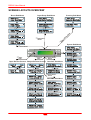
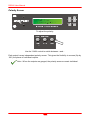
Accessing menus: press the MENU key. Use the BACK
and NEXT keys to select the sub-menu required, and
enter using the ENTER key. This applies to all levels of
menu. ENTER always confirms selections.
The Menus and their Contents
Input Setup Sub-menu: Used for ganging input gain and
base delays.
X-over Sub-menu: Used for storage and recall of
crossovers, including format, output EQ, output delay,
output gain, and limiter settings. Also used for design of
new crossovers.
Security Sub-menu: Used for locking various features of
the units, using a four digit code.
System Sub-menu: Used to view the units status, and
select various global options such as parametric EQ ‘Q’
or bandwidth units, and output meter monitoring point
(pre or post mute).
Notes
The crossover or output settings are stored and recalled
independently (using store/recall a X-Over) from the input
settings (using store/recall input memory).
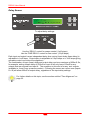
The output meters show level, in dB, from the limiter
threshold. The input meters show level, in dB, from input
clip.
The high and low-pass filters are defined independently
on each channel.
To access the limiter attack and release parameters,
select ‘Auto Limiter TC’ No, when designing a crossover.
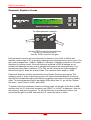
To swap parametric filter units between bandwidth (‘BW’)
and ‘Q’, enter the ‘System sub-menu, select ‘Filter Q or
BW’, and select required readout units.
2