1
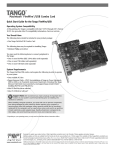
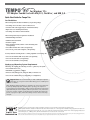
Quick Start Guide for Tempo Trio (Windows Version)
Support Note: You must use the Windows 98SE CD-ROM to install
some of the drivers necessary to support the Tempo Trio in your system.
Depending on your system’s configuration before you install the Tempo Trio (for
example, you’ve previously installed a USB card), some of the drivers required to
support the Tempo Trio card may have already been installed. If this is the case,
you may not need to perform some of the steps listed.
Windows 98SE Driver Installation
This section describes the installation of drivers to support the Tempo Trio in
systems running Windows 98SE. If your system is running Windows Me, skip to
page 5. If your system is running Windows 2000, skip to page 6. If your system is
running Windows XP, skip to page 7.
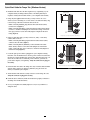
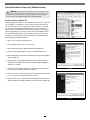
1. Turn on your computer; during Windows startup, New Hardware Found windows will briefly appear.
2. When the Add New Hardware Wizard (PCI Standard PCI-to-PCI Bridge) window appears, click Next.
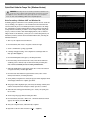
3. When the next window appears, insert the Windows 98SE CD into your
computer’s CD-ROM drive, select “Search for best driver for your device
(Recommended),” and then click Next.
4. When the next window appears, click Next.
5. When the message stating “Windows is now ready to install the best
driver…” appears, click Next.
6. When the message stating “Windows has finished installing the software
that your new device requires,” appears, click Finish; the window will close,
and then several New Hardware Found windows will briefly appear.
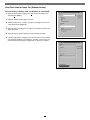
7. When the next Add New Hardware Wizard (NEC USB Open Host Controller)
window appears, click Next.
8. When the next window appears, select “Search for best driver for your device
(Recommended),” and then click Next.
9. When the next window appears, click Next.
10. When the message stating “Windows has found an updated driver for this
device…,” click Next.
11. When the message stating “Windows is now ready to install the best
driver…” appears, click Next.
12. When the message stating “Windows has finished installing the software
that your new device requires,” appears, click Finish; the window will close.
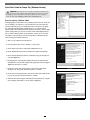
13. When the next Add New Hardware Wizard (NEC USB Open Host Controller)
window appears, click Next. Note: This is correct; this driver is installed two
times (once for each USB port).
14. When the next window appears, select “Search for best driver for your device
(Recommended),” and then click Next.
3