1
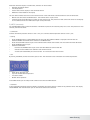
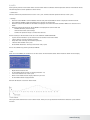
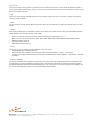
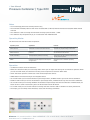
3) AUTO Store specic proles in the AUTO mode. Use the AUTO mode to calibrate different pressure devices with idential values. The dened prole can be repeated a several times. > Connection Connect differential pressure devices to the + and - port. Connect absolute pressure devices to the + port. > Settings • • • • • • • Push the button MENU. Conrm MODUS with OK and push UP/ DOWN till AUTO is displayed. Conrm with OK. The submenus RANGE, UNIT and STEPS aren‘t relevant in AUTO mode. Push the buttons UP/ DOWN till SETTINGS is displayed and conrm with OK. Submenu ZERO isn‘t relevant in this mode. Push the buttons UP/ Down till AUTO-MODUS is displayed and conrm with OK. RANGE: Relevant pressure range UNIT: Pressure unit (see settings) STEPS: The pressure range is divided into sections. Further settings of AUTO mode can be set in the submenu CONFIGURATION. • Cycles: Set the number of cycles that have to be realized in the AUTO mode. • T Start: Wait for vent of the internal sensor. • Stop: Wait after reaching the maximum pressure. • T Pause: Wait between two cycles • AUTO-ZERO: Automatic zeroing at the end of every clycle. Exit of the submenu by pushing the button MENU. > Use After exit of the MENU, the calibrator is on wait status. All informations about AUTO mode are shown on the display. • • • • • Right above: Pressure unit In the middle: Phase 1 Sensor is venting (Pressure = 0) Left in the middle: First of ten cycles Down in the middle: Actual target pressure in per cent In the middle above: Target pressure Pressure OK button to start the AUTO mode. The gure shows the ow chart of the AUTO mode. There you can get detailed informations about the cycles and the function. www.fsm.ag