1
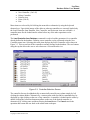
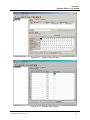
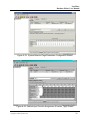
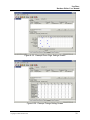
NextPhase Database Editor User Manual • • • • • New Controller (Ctrl +N) Delete Controller Print Preview Print (Ctrl+P) Exit Menu items are selected by left clicking the menu title or alternatively using the keyboard shortcut keys. Upon initial startup of the editor or when no controllers are currently loaded only the Load Controller from Database, New Controller, and Exit menu items are selectable. A controller must first be loaded into the editor before any of the other operations can be performed. The Load Controller from Database command is used to load the parameters for a controller already defined in the database. Defining a new controller can be performed using the New Controller menu item. Selecting this menu item displays the Select Controller screen shown in Figure 3-3. This screen lists all the controllers currently defined in the database. The two buttons along the top bar allows the user to select between a List and Details view. Figure 3-3: Controller Selection Screen The controller list may be alphabetically or numerically sorted by any column simply by left clicking the column header. Alternatively, a context menu with sort and list commands may be displayed by right clicking on the row of any controller. A controller is loaded into the editor by double clicking the left mouse button anywhere on the row of the desired controller, or alternatively by clicking once and then selecting the Load button. The Cancel cancels the operation and returns the user back to the editor main workspace. NextPhase Database Editor User Manual Copyright 2002 Siemens GTS 8