1
3
INSTRUCTOR SETUP:
Photoshop 7 Basic: Instructor
Manual
Materials:
♦
♦
♦
Instructor Manual with disk of accompanying files
User Manual (1 copy per student)
Job Aids (1 copy per student)
Equipment:
♦
♦
♦
♦
♦
♦
♦
♦
♦
Electronic Classroom
PC or Macintosh workstations (1 per student) with Adobe Photoshop 6 installed
Instructor PC or Mac workstation with Adobe Photoshop 6
Overhead projector connected to instructor workstation
Zip drives on all computers
A working printer loaded with paper connected to all computers
1 Instructor disk with all files needed to be loaded onto the computers
Zip disks for students (1 per student, PROVIDED BY THE STUDENTS)
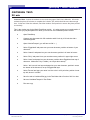
Collage Example
Instructor Zip Disk Content:
♦
♦
Folder to be dragged to desktop is called PhotoShopWorkShop
Inside folder:
♦
Test.jpg
♦
Test.psd
♦
CriterionTest.psd
♦
Collage.psd
♦
Test Folder
♦
ToFind Folder
♦
♦
Make sure CriterionTest.psd is in the “ToFind Folder”
All other files should be in the “PhotoShopWorkshop Folder”.
Setup:
♦
♦
♦
♦
♦
♦
♦
♦
Instructor should check with the training coordinator to verify that all participants
were informed to bring a PC formatted Zip disk to the workshop.
Instructor should be familiar with all aspects/components of PhotoShop 7.0 basic I
module.
Load work files on instructor’s and students’ computers on desktop
Check that all computers function.
Reset tools and palettes, or Trash Preferences (Mac) in PhotoShop to insure all
interfaces are the same on each computer
Turn on and test projector
Have students sit at a computer by themselves
The Instructor Manual is set up so that you can see the corresponding User Manual
page next to it. To make copies of the User Manual for the participants of the
workshop, print out the PDF version from http://mll.arizona.edu/
workshops.shtml?tutorialpdfs
File name: Photoshop7_Instructor.pmd
Last modified: 08/14/02
Copyright Arizona Board of Regents, 2002
University of Arizona