1
AIMS2000 Operations
Document Number: 401-072
Table of Contents
Preface..................................................................................................................................... 7
Power Sources ....................................................................................................................... 8
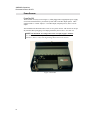
PowerPax 200 ........................................................................................................8
Turning on the System ......................................................................................................... 9
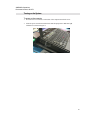
To power up the computer .....................................................................................9
Operating System................................................................................................................ 10
Logging In.............................................................................................................10
Shutting Down ......................................................................................................11
Desktop Layout.....................................................................................................12
Removing PCMCIA Cards....................................................................................13
Software................................................................................................................................. 14
Creating a Document ...........................................................................................14
Retrieving an Existing Document .........................................................................15
Using WinZip ........................................................................................................16
Printing .................................................................................................................................. 19
Printing a Document.............................................................................................19
Communications.................................................................................................................. 20
Connecting to a Phone Line .................................................................................20
Connecting to a network.......................................................................................20
Connecting to the Internet over a Phone Line......................................................21
CRISNet Cruiser (Offline) ................................................................................................... 26
Creating Reports in CRISNet Cruiser ..................................................................26
Loading Reports in CRISNet Cruiser ...................................................................26
Returning Reports in CRISNet Cruiser ................................................................27
Imaging .................................................................................................................................. 28
Acquiring Audio/Video with the USB Video Capture Device................................28
Acquiring Video with the USB Camera ................................................................31
Acquiring Still Images from a DC260 Digital Camera using a USB Cable...........32
3