1
http://arttel.ru
snom D7 User Manual
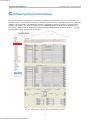
Configuring the Function Keys
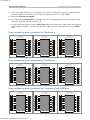
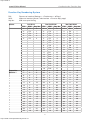
Fig. 24
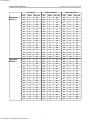
Fig. 25
Settings on the phone
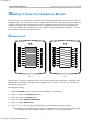
When an expansion module is connected to the phone, its freely programmable function keys are
shown in the Fkeys submenu of the Preferences menu. The function keys on the phone and on the
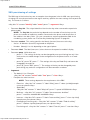
expansion modules are numbered consecutively. If the connected phone has 16 freely programmable
function keys, for example, the keys on the first expansion module in the daisy chain are numbers
17 - 34, the keys on the second module are numbers 35 - 52, and the keys on the third module are
numbers 53 - 70.
1. Open the Settings menu of the phone that the module is connected to.
2. Press "1" to open the Preferences menu.
3. Press "6" to open the Fkeys menu.
17
http://arttel.ru/shop/aksessuary/snom-d7