1
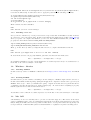
wcci2008patch. Enter the wcci2008patch directory and run the do patch.sh (run do unpatch.sh to
revert the modifications). You should be able to apply the patch with the following commands:
cp wcci2008patch.tgz /path/to/your/torcs/base/directory
cd /path/to/your/torcs/base/directory
tar xfz wcci2008patch.tgz
cd wcci2008patch
sh do_patch.sh [or do_unpatch.sh to revert changes]
Then rebuild torcs and re-install it:
make
make install (as root if necessary)
1.1.3
Installing server-bot
Now you need to install one (or both) of the server-bots provided, that are TORCS bost that would act
as a server for your competition entry. Download and unpack the Linux Server package (linux v02.tgz)
where you prefer. To compile and install it, you need to have TORCS installed and you have to set
properly the environment variables TORCS_BASE and MAKE_DEFAULT:
export TORCS_BASE=/path/to/your/torcs/base/directory
export MAKE_DEFAULT=$TORCS_BASE/Make-default.mk
Then, go in the directory where you unpacked the server-bot, compile and install it as follows:
make
make install (you might need to be root to run this command)
To check if the server-bot is properly installed, just run torcs and from the menu select:
Race → Quick Race → Configure Race → Accept.
If everything is installed correctly, you should find the wcci2008competition and/or wcci2008trainer bot
in the list of “Not Selected Player” on the right.
1.2
1.2.1
Windows – binaries
Installing TORCS
Download binary version of TORCS for Windows from http://torcs.sourceforge.net/ and install
it.
1.2.2
Patching TORCS
For Windows we provide binaries containing both the changes to TORCS engine and the server-bot.
Download the Windows Patch package (win-patch.tgz) from competition website and copy it in your
TORCS directory (i.e. where you installed the game). Unpack it in that directory (it should ask for
overwriting some files in that directory, answer always yes!). To check wether everything is properly
installed, just run wtorcs and from the menu select:
Race → Quick Race → Configure Race → Accept.
You should be able to find the wcci2008competition bot in the list of “Not Selected Player” on the right.
1.3
Mac OsX
Unfortunately we are not currently able to provide a reasonable support to Mac users, as the latest
version of TORCS seems to have problems under OsX. By the way all the client interfaces provided are
fully working under Mac, therefore it is possible for Mac users to develop their entries as long as they can
set up a windows or linux machine (either a virtual machine or a physical one) with a working server.
2