1
Can instantly add dramatic effects
Use it for the majority of your photos.
- ROTATE - 90 degrees in any direction 4 ways to do it
Select a photo > EDIT > QUICK FIXES > ROTATE
each > rotates 90 degrees counter clockwise
OR
CMD R
OR
PHOTOS > ROTATE CLOCKWISE
> ROTATE
COUNTERCLOCKWISE
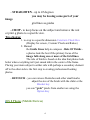
- ENHANCE - Quick automatic exposure, contrast and saturation
correction
Double > EDIT > QUICK FIXES > ENHANCE, >
press and release SHIFT to compare the original with the new
photo
- FIX RED-EYE - reduce the appearance of red-eye caused by
the flash reflected in the pupil. only works on people, animals are
yellow/green.
Two options: Manual or Auto
Select photo > EDIT > ZOOM Slider to help to see detail >
FIX RED-EYE button if iPhoto detects a face in the photo, it
automatically selects the AUTO-FIX RED EYE checkbox and
fixes the problem
manual function use Left ([) and Right Bracket (]) keys to fine
tune the circle. there is a cross hair at the smallest size circle.
Manual function at time leave a black hole for the pupil
3