1
1. Introduction
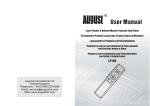
3.2 Back
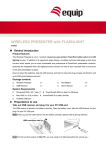
The wireless presenter is suitable for any presentation or
PowerPoint occasion. With it, you don't need to stand beside your
computer or have an assistant. It is very simple to use, just plug and
play, and no driver is required.
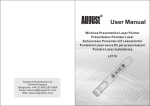
Pull out the USB receiver
®
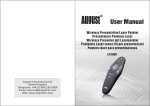
Wireless Presentation
Laser Pointer with Timer
Model:LP107T
The device enables you to control your presentation wirelessly up
to 10 metres (32 feet) away, thanks to the advanced radio
frequency (RF) technology that works through walls.
Reset
It combines the functions of a laser pointer, remote control and
timer. It is tailored as a convenient tool for presentations, teaching,
meetings, speeches and training.
Press and slide out
the battery cover
2. Operating system
The device supports Windows 98 / ME / 2000 / 2003 / XP / Vista / 7 / 8,
Linux and Mac OS.
3. Parts & Functions
4. Battery Installation
3.1 Front
F5/Esc
Screen On/Off
Red Laser
Power On/Off
Page Up
The unit is powered by 2 x AAA batteries
Remove the battery compartment cover
Insert 2 x AAA batteries into the battery holder
Put the battery compartment cover back in position
Page Down
®
LCD Display
Volume +
Volume –
Timer
n
tio er
ta m
en Ti
es th
Pr r wi T
ss te
07
le in
P1
ire Po del:L
:
W r
se Mo
ng
La
ni at
®
ar int .
W t poimals
no an
e do d
as le an
Ple op
pe
ion er
tat
sen Tim
Pre wit h
ess er
T
rel Po int
107
Wi
:LP
ser Model
La
in g:
rn
at
Wa point ls.
not ma
ani
do
ase and
Ple ple
peo
Note:
Press F5/Esc to start or exit a
Powerpoint slideshow.
-1-
-2-
English
Warning:
Please do not point at
people and animals.