1
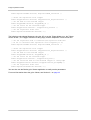
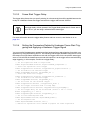
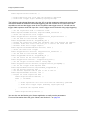
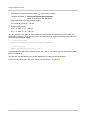
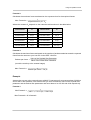
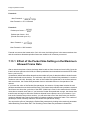
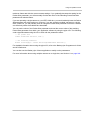
Chunk Features 10.3 Frame Counter The Frame Counter feature numbers frames sequentially as they are acquired. When the feature is enabled, a chunk is added to each frame containing the value of the counter. The frame counter is a 32 bit value. The counter starts at 0 and increments by 1 for each acquired frame. The counter counts up to 4294967295 unless it is reset before (see below). After reaching the maximum value, the counter will reset to 0 and then continue counting. Be aware that if the camera is acquiring frames continuously and continuous capture is stopped, several numbers in the counting sequence may be skipped. This happens due to the internal image buffering scheme used in the camera. The chunk mode must be active before you can enable the frame counter feature or any of the other chunk feature. Making the chunk mode inactive disables all chunk features. To enable the frame counter chunk: Use the Chunk Selector to select the Frame Counter chunk. Use the Chunk Enable parameter to set the value of the chunk to true. Once the frame counter chunk is enabled, the camera will add a frame counter chunk to each acquired image. To retrieve data from a chunk appended to an image that has been received by your PC, you must first run the image and its appended chunks through the chunk parser included in the pylon API. Once the chunk parser has been used, you can retrieve the frame counter information by doing the following: Read the value of the Chunk Frame Counter parameter. You can set the Chunk Selector and Chunk Enable parameter value from within your application software by using the Basler pylon API. You can also run the parser and retrieve the chunk data. The following code snippets illustrate using the API to activate the chunk mode, enable the frame counter chunk, run the parser, and retrieve the frame counter chunk data: // make chunk mode active and enable Frame Counter chunk Camera.ChunkModeActive.SetValue( true ); Camera.ChunkSelector.SetValue( ChunkSelector_Framecounter ); Camera.ChunkEnable.SetValue( true ); // retrieve date from the chunk IChunkParser &ChunkParser = *Camera.CreateChunkParser(); GrabResult Result; StreamGrabber.RetrieveResult( Result ); ChunkParser.AttachBuffer( (unsigned char*) Result.Buffer(), Basler scout 251