1
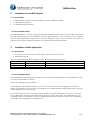
MDWorkflow 2 Installation of core IBMi Libraries ...2.1 Prerequisites An IBMi (AS/400, iSeries) system with IBMi OS version V5R3M0 or higher A valid MDCMS License A valid MDWorkflow License ...2.2 The Installation Steps Use the MDINSSAVF command (see the MDCMS Installation Instructions for full details) and include the MD IDE Repository in the installation. The MD IDE Repository is only necessary for the partition that the Web Application will connect to (unless MDOpen is also in use). However, the version of MDCMS on the other partitions should be the same as the repository partition. 3 Installation of Web Application ...3.1 Prerequisites Java JDK 6 or newer (some servers will function with JRE 5 or JDK 5) Application Server The web application has been tested on the following Application Servers: Server Minimum Version Tested Link Apache Tomcat 6.0 http://tomcat.apache.org Glassfish 2.1.1 http://glassfish.java.net JBoss 7.0 http://www.jboss.org/jbossas ...3.2 The Installation Steps The MDWorkflow web application consists of one packaged WAR file that is downloaded from the Customer Area inside of a ZIP file. Extract the WAR file from the ZIP file. Depending on the Application Server, you can use a browser-based management console to deploy the WAR file or you can copy the WAR file to a folder within the Application Server and the Server will deploy it automatically. If your server permits you to modify the files in a Web App after deployment, then you can make the configuration changes after deployment and then restart the Server. If modifications are not permitted, then you will need to open the WAR with extraction software such as 7-Zip or WinRAR and make the changes prior to deployment. Midrange Dynamics GmbH, Zugerbergstrasse 4, CH-6301 Zug Tel. +41 (41) 710 27 77, Fax +41 (41) 710 95 87, www.midrangedynamics.com 2/8