1
Use
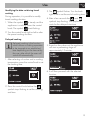
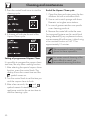
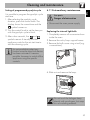
7. At the end of the cooking time “function
ended” appears on the display and a
buzzer will sound that can be
deactivated by pressing the control
knob.
Modifying the data set during
programmed cooking
After modifying the cooking time,
the end of cooking time must be reset.
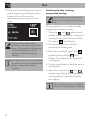
During operation, it is possible to modify
programmed cooking duration:
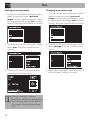
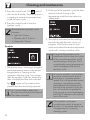
1. When the
and
symbols are lit
steadily and the appliance is waiting for
cooking to start, press the control knob.
The symbol
starts flashing.
To extend the cooking time
manually, press the control knob
again. The appliance will resume
its normal operation with the
previously selected cooking
settings.
For safety reasons, it is not possible
to set the cooking end time by itself
without setting the cooking
duration.
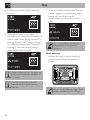
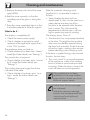
2. Turn the control knob to alter the
previously set cooking time.
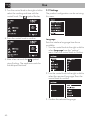
3. Press the control knob again. The
symbol switches off and
starts
flashing. The display shows the end of
cooking time.
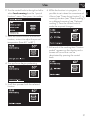
4. Turn the control knob to delay the end of
cooking time.
5. After a few seconds the
and
symbols stop flashing and programmed
cooking restarts its operation with the
new settings.
If the cooking duration is modified,
the end of cooking time is deleted.
20