1
Superchips Inc.
Page 3 of 16 Form 0135L 03/29/2007
Page 4 of 16 Form 0135L 03/29/2007
Superchips Inc.
Section A – Performance Programming Instructions
Caution
The “Performance” and “Towing Perf” Tuning Levels require that you use at least 91
octane fuel. Using a lower octane fuel while the “Performance” or “Towing Perf”
Tuning Level is selected may cause “pinging” that can be harmful to your vehicle.
About Maximum Trailer Weight
The original manufacturer of your vehicle has specified a Maximum Trailer Weight for your
vehicle. It may be found in your vehicle owner’s manual.
This Superchips product is designed to increase your engine power and performance. It
does not change the engine, suspension or drive train characteristics that limit the maximum
trailer weight your vehicle is designed to tow. Towing trailer weights above the maximum
trailer weight specified by the vehicle manufacturer may cause transmission or other
damage.
1.
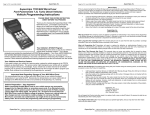
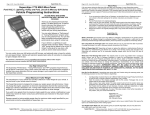
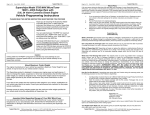
Connecting the MAX MicroTuner to your vehicle
With the ignition switch in the OFF position, locate the diagnostic connector under the dash
near the steering wheel and connect the MAX MicroTuner cable to the diagnostic connector.
(See Figure 2)
When connected, the MAX MicroTuner will run a self-test,
displaying several start-up messages. Following the start up
messages, the MAX MicroTuner displays the following
message:
Begin with Ign.
OFF Press ‘>’
Insure the ignition switch is OFF, then press the ‘>’ key on
the keypad. The MAX MicroTuner displays the following
messages:
Please Wait…
If you wish to tow greater than the maximum trailer weight for your vehicle, modifications to
your vehicle may need to be made. Consult your performance auto mechanic for the proper
vehicle modifications.
then
Turn Ignition ON
Do NOT START ENG
Damage caused by towing weights greater than the maximum trailer weight specified for
your vehicle shall not be the responsibility of Superchips Inc.
Important Note Regarding Storage of Your MAX MicroTuner
It is recommended that you not store your MAX MicroTuner in your vehicle if ambient
o
temperatures in your area fall below 32 F. Excessively low temperatures can cause
malfunction or damage to the MAX MicroTuner that is not covered by the Superchips Inc.
warranty.
Your Vehicle’s STOCK Program
The MAX MicroTuner stores a copy of your vehicle’s original stock computer program. Your
vehicle’s computer must contain the manufacturer’s STOCK factory program. If you have
used a programmer from another aftermarket company you must use their product to return
your computer back to STOCK condition before proceeding. If you have an aftermarket
performance-enhancing electronic device installed, it must be removed prior to using the
Superchips MAX MicroTuner.
Turn Ignition
ON
Press ‘>’
Turn the ignition switch to the ON position and then press the ‘>’ key on the keypad.
2.
Selecting Tune Vehicle / Diagnostics
The MAX MicroTuner will beep and display the message:
A= Tune Vehicle
B= Diagnostics
Press the ‘A’ key on the keypad to continue with the tuning process.
Press the ‘B’ key to read and/or clear any Diagnostic Trouble Codes from the vehicle. See
DTC Reader Instructions and DTC Interpretations in the separate manual provided for this
purpose with your product.
3.
Vehicle Programming
Press the ‘A’ key on the keypad. The MAX MicroTuner will flash the message:
Initialization
Please Wait…
Your Vehicle and Service Centers
If you need to return your vehicle to a service center, restore the vehicle’s program to its
STOCK program as described below. The service center might reprogram your vehicle with
an updated STOCK program without your knowledge. If your vehicle has not been returned
to its STOCK program prior to service, the Superchips MAX MicroTuner will no longer be
able to program your vehicle. Such a failure is not covered by the Superchips Inc. warranty.
Vehicle Preparation
Before connecting the MAX MicroTuner to your vehicle, make sure that:
•
All power-draining accessories are turned off. Radio, lights, cell phones, etc., all need to
be turned off as the MAX MicroTuner needs full battery voltage to program.
•
Ensure your vehicle battery is fully charged and not connected to a battery charger.
•
Do not leave the MAX MicroTuner connected and unattended for any length of time to
prevent unnecessary battery drain.
•
Do not remove the programming cable during any programming sequence.
Figure 2
The MAX MicroTuner is establishing communications with and identifying the vehicle computer.
This may take a considerable amount of time, as the MAX MicroTuner has to insure it has
completely identify the vehicle and all of the components for correct operation.
4.
Saving the STOCK program for the vehicle
The manufacturer’s STOCK program is first saved in the MAX MicroTuner in multiple files,
up to three total, to allow the vehicle to be reprogrammed to STOCK condition if necessary.
The STOCK program is saved only the first time the vehicle is programmed.
To save the complete stock program, the MAX MicroTuner may repeat the following
sequence up to three times depending on your vehicle’s configuration.
The MAX MicroTuner will beep and display the message
Turn Ignition
OFF Press ‘>’
Turn the ignition to the OFF position, then press the ‘>’ key on the keypad.
Superchips Inc.
1790 East Airport Blvd., Sanford, FL. 32773 (407) 585-7000 http://www.Superchips.com
Superchip & Superchips are registered trademarks of Superchips, Inc.
Superchips Inc.
1790 East Airport Blvd., Sanford, FL. 32773 (407) 585-7000 http://www.Superchips.com
Superchip & Superchips are registered trademarks of Superchips, Inc.