1
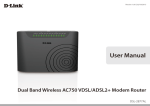
D-Link DSL-7850U VDSL2 Router User Manual
Table of Contents
Table of Contents ................................................................................................... 2
Product Overview ................................................................................................... 3
Package Contents ................................................................................................ 3
System Requirements .......................................................................................... 3
Features................................................................................................................ 4
Hardware Overview .............................................................................................. 5
Front Panel ....................................................................................................... 5
Rear Panel ........................................................................................................ 6
Basic Installation .................................................................................................... 7
Before You Begin ................................................................................................. 7
Installation Notes .................................................................................................. 7
Information you will need from your VDSL service provider ............................. 9
Information you will need about this Router.................................................... 10
Information you will need about your LAN or computer.................................. 10
Device Installation .............................................................................................. 11
Power on Router ............................................................................................. 11
Factory Reset Button ...................................................................................... 11
Network Connections ...................................................................................... 12
Getting Started ................................................................................................... 13
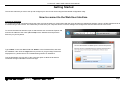
How to connect to the Web User Interface ..................................................... 13
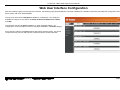
Web User Interface Configuration ...................................................................... 14
Setup Category ................................................................................................... 15
WAN Service ................................................................................................... 16
Wireless 2.4G ................................................................................................. 25
Wireless 5G .................................................................................................... 27
Local Network ................................................................................................. 29
IPv6 Autoconfig ............................................................................................... 32
Time and Date ................................................................................................ 34
Advanced Category ............................................................................................ 36
Advanced Wireless 2.4G ................................................................................ 38
Advanced Wireless 5G ................................................................................... 55
Port Forwarding .............................................................................................. 72
Port Triggering ................................................................................................ 74
錯誤!
常用]
錯誤 使用 [常用
常用 索引標籤將 Heading 1 套用到您想要在此處顯示的文字。
套用到您想要在此處顯示的文字。
DMZ ................................................................................................................ 76
Parental Control .............................................................................................. 77
Filtering Options .............................................................................................. 81
DNS................................................................................................................. 88
Dynamic DNS ................................................................................................. 89
Network Tools ................................................................................................. 91
Routing .......................................................................................................... 107
DLNA............................................................................................................. 114
Storage Service ............................................................................................ 115
IP Tunnel ....................................................................................................... 116
Print Server ................................................................................................... 122
Samba ........................................................................................................... 123
Maintenance Category ..................................................................................... 124
System .......................................................................................................... 125
Firmware Update .......................................................................................... 127
Access Control .............................................................................................. 128
Diagnostics ................................................................................................... 132
System Log ................................................................................................... 134
Status Category ................................................................................................ 137
Device Info .................................................................................................... 138
DHCP Clients ................................................................................................ 140
Statistics ........................................................................................................ 141
Route Info ..................................................................................................... 148
WAN Info ....................................................................................................... 149
Help Category ................................................................................................... 150
Knowledge Base ................................................................................................ 151
Networking Basics ............................................................................................ 151
Wireless Basics ................................................................................................ 153
Wireless Modes ............................................................................................ 155
Wireless Security .............................................................................................. 155
What is WPA? ............................................................................................... 155
Frequently Asked Questions ............................................................................ 157
Technical Specifications ................................................................................... 158
Page 2