1
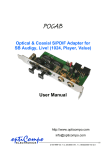
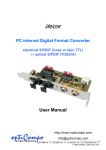
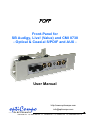
POFP S/PDIF front panel
2
User Manual
Thank you for purchasing optiCompo’s POFP (nice-Priced Optical Front Panel).
Please read the following installation procedure carefully and you will enjoy a wide
variety of S/PDIF recording options with your sound card.
Some features your POFP has to offer:
Interconnectivity - Using the POFP you can finally connect your S/PDIF audio
devices to your SoundBlaster Audigy / Live! or even a CMI8738 sound card.
• Independence - You can interconnect S/PDIF audio devices independent of their
output type - coaxial or optical jack.
• Comfort – Never again search the SPDIF or AUX connectors at the back of your
computer, crouching on the ground or the table.
• Service - If you have problems with your POFP, please check our homepage for
usefull hints and solutions:
•
http://www.opticompo.com/
Before contacting optiCompo, try to solve the problem by reading this User
Manual or the manuals and help files for the other used devices and software.
If these manuals leave any questions, we provide e-mail support at
audiosupport@opticompo.com
So than: Just enjoy the digital world of music.
Your optiCompo team
Warning
Do not eat or pulverize any of the components of the POFP, because some
components contain toxic material!
• We are not liable for any damages caused by improper use of the POFP or it’s
components!
•
********************
Information in this manual is subject to change without notice.
Trademark Acknowledgement:
All trademarks referred herein are the property of their respective owners.