1
DI–789 Hardware Manual
4. Instrument Controls,
Indicators, and Connectors
View LED indicators on the front panel of DI-789 instruments. Power, communications, and the ground lug can be
found on the rear of the instrument.
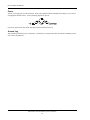
DI-789 Front Panel
Activity LEDs
These LEDs will glow green to show activity. The Ethernet Activity LEDs (Toward PC and Expansion) correspond
with the Ethernet ports on the rear of the instrument.
Sync Lost LED
This LED will glow red when the unit is inside a chain of Ethernet devices that are no longer acquiring data synchronously.
Power LED
This LED glows green when power is applied to the device.
DI-789 Rear Panel
Toward PC and Expansion Ethernet Connections
Two 10baseT ports. Connect the Toward PC port to an Ethernet port on your PC or Network. Use the Expansion
port to daisy-chain multiple units together.
Instrument Controls, Indicators, and Connectors
15