1
Functions Available While Watching Sports in Soccer Mode
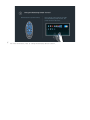
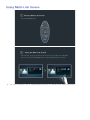
Press the E button. The following buttons appear.
●● Zoom
Pause the current video and select and zoom into one of the 9 blocks of the still picture. You can
pan out of the zoomed-in picture using the <, >, ¡ and £ buttons.
"" Select or press the a button to launch the Zoom function easily.
"" You cannot use this function when watching 3D channels or when PIP or MULTIMEDIA is active.
●● Save as Highlight
Save a video from 10 seconds before pressing the Save as a Highlight button to 10 seconds after.
"" Select or press the b to launch the Save as Highlight function easily.
"" You can only use this function when a recording is in progress.
"" You can set the TV to automatically save highlights without user intervention. Select System > Soccer
Mode, and then set Auto Highlights to On.
●● Stop Recording / Go to Live TV
When you are watching a live program, you can stop a recording by pressing this button. When
you are watching a recorded program, you can switch to a live program by pressing this button.
"" You can only use this function when a recording is in progress.
●● Record
Instantly record the game you are currently watching on the TV.
"" You can only use this function when the recording function is supported.
●● Rewind
Rewind the current video. Repeatedly select this button to increase the rewind speed up to max 5
steps.
"" You can only use this function when a recording is in progress.