1
C. Print Paper
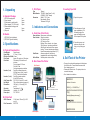
1. Unpacking
Type
Model Number
A. Standard Package
1) PRP-058 receipt printer
2) User's manual
3) Cable (serial or parallel cable)
4) Power adapter (7.5 VDC output)
5) Demo diskette including printer
commands
6) Paper roll
1 set
1 piece
1 piece
1 piece
1 piece
1 piece
1) PRP-058-S (serial interface)
2) PRP-058-P (parallel interface)
2. Specifications
A. Physical Characteristics
Interface (Serial)
Interface (Parallel)
Cash Drawer Port
Net Weight
Dimensions
Operating
Environment
Power Input
1) Open the top cover
3. Indicators and Connections
2) Place the paper roll in the
paper compartment. Pull
the leading edge of the
paper roll straight to pass
the front panel of the printer.
A. Front View of the Printer
B. Models
Print Method
Paper Width
Effective Print Width
Print Speed
Print Head
Parameters
C. Loading Paper Roll
Thermal
TF50KS-E (Japan Paper Co. Ltd.)
AF50KS-E (JUJO Thermal)
Width: 57.5 ( 0.5 mm
Max diameter: 50 mm
2
Thickness: 53-60 g/m
Direct thermal
57.5 mm ( 0.5 mm
48 mm
Approx. 52 mm/sec or 14 lines/sec
Print density: 384 dots/line or 8
dots/mm
Print dot space: 0.125 mm
Print life: 50 km
Overheat suspension protection
Dsub 25-pin female connecter
9600 bps, none, 8 bits, 1 stop bit
RTS/CTS and Xon/Xoff protocol
Dsub 25-pin male connecter
8 bits, BUSY protocol
DC 12V/1A, 6-wire RJ-11 socket
740 g (without cable and paper roll)
185 mm (L) x 114 mm (W) x 90
mm (H)
Temperature: 0 - 50
Humidity: 10 - 80 RH
DC 7.5V/2.0A
Power Indicator Shows power on/off status
Error Indicator Shows error status:
On: Printer is on line
Off: Printer is off line
Blinking: 160 ms interval - out of paper
300 ms interval - print head overheated
(Wait till print head cools off then resume
printing. The error indicator stops blinking
when the temperature drops below 40(C.)
Feed Button
Advances paper roll (the button is
inoperable when error indicator blinks)
Online Button
Switches printer online or offline
B. Rear View of the Printer
3) Close the top cover and
make sure the roller sits
firmly on top of the paper
roll.
4. Self Test of the Printer
• Power up the printer while pressing and holding down
the Online button. Power Indicator comes on and
Error Indicator goes out.
• Release the Online button. The printer prints out a
successful test page.
• Error Indicator turns back on.
POS Terminal
SELFTEST
Power ON/OFF
Switch
Parallel/Serial Interface Cable
Interface: Centronics
DC Power jack
Dsub 25 pin Connector
RJ-11 Socket for Cash Drawe's Connection
!"#$%&'()*+,-./0123456789:;o?
@ABCDEFGHIJKLMNOPQRSTUVW
XYZ[\]^
`abcdefghijklmnopqrstuvwxyz{|}~
RJ-11 Printer Interface Cable
B. Printer Font
ASCII Character
Print Commands
12 x 24 dots, 1.25 mm (W) x 3.00
mm (H)
ESC/POS
PRP-058
\/\/\/\/\/\/\/\/\/\/\/\/\/\/\/\/\/\/\/\/\/\/\/\/\/\/\/\/\/\
Cash Drawer
SELFTEST OK!
Power Adaptor
1
2
3