1
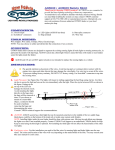
The best location for television installations is usually behind the TV,
about 1-4 inches from the outer edges (left and right in most cases).
Center the bars for proper light dispersion. The exact location may vary
depending on make and model of TV.
Same general position works well for most objects. There are many
ways of illuminating objects using Media Highlighter . Try various
locations to achieve desired results.
a
Cleaning
Test a small area to make sure cleaning wipes
do not affect the mounting surfaces. Scrub the bottom of the clips,
controller, hub and the mounting surfaces with the cleaning wipes. Dry
the surfaces with a clean, lint free cloth.
Mounting clips Mounting clips can be secured using two-sided
tape or screws. DO NOT USE SCREWS FOR FASTENING TO
ELECTRONIC DEVICES AND SENSITIVE SURFACES.
Tapes may cause some discoloration to surfaces over time. Put tape on
the bottom of the clips and apply pressure for 5 seconds. Place clips on
the lightbars.
Place light bar Remove the second side of tape liner. Keep the
tape surface clean. Place the bars in the proper location by pressing on
the clips for 5 seconds. Never press on the clear lens of bars.
Lightbars will get damaged! Note the direction of the wires being
routed to the hub.
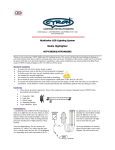
Hub Mount the hub using screws or tape. Choose a location for the
hub so it can be accessible for future upgrades. Plug the light bar
connectors into any of the hub outlets. Additional outlets are provided
for future expansion of your Cyron Media Highlighter PRO system.
Controller Using tapes mount the controller in a place easily
accessible. On the wall behind the TV, Back or sides of the TV are
good possible locations.
Power Up Plug the power supply into an AC outlet. Connect the
power jack into the controller wire.
2