1
Fashion · Science & Technology · Taste
Enjoy Intelligent Life - “KIVOS”
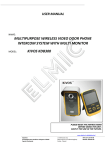
“KIVOS” is dedicating to equipping modern fashion life with high-tech products, its intelligent doorbell
is a practicable high-tech household intelligent product integrating doorbell, photo-taking and videorecording functions into one. Adopting the latest energy saving technology, its unique connection
method and fashionable appearance design make it the first choice of your high-quality intelligent life.
This product is convenient to install, and simple to use. Its originality redresses the defect of “hearing
the voice but without seeing the man” of traditional doorbells. Both the aged and children at home can
easily operate and clearly identify the outdoor visitor, helping us to improve the home security.
Its automatic photo-taking and video-recording functions enable you not to miss any visitors during
your travelling outdoors.
Introduction ................................................................................................................................................... 3
Safety Warning & Attentions ............................................................................................................................. 3
1.
Attention ........................................................................................................................................... 3
2.
Attention for operation of this product .................................................................................................... 3
3.
Attention for operation of charger .......................................................................................................... 3
4.
Operation and maintenance .................................................................................................................. 4
Product Overview - Model: KDB01s .................................................................................................................... 4
1.
Characteristics and application: .............................................................................................................. 4
2.
Performance parameters:...................................................................................................................... 5
Product diagram ............................................................................................................................................. 5
Peripheral device ............................................................................................................................................ 6
Installation guide ............................................................................................................................................ 6
Installation steps ............................................................................................................................................ 6
Battery Installation ......................................................................................................................................... 7
Installation of storage card ............................................................................................................................... 7
Attentions during Installation ............................................................................................................................ 8
Basic functions ............................................................................................................................................... 8
1.
Night-Vision ........................................................................................................................................ 8
2.
Storage card ....................................................................................................................................... 8
3.
Doorbell Settings ................................................................................................................................. 8
4.
Doorbell switch ................................................................................................................................... 8
5.
View and record of outdoor scene .......................................................................................................... 8
6.
Photo preview ..................................................................................................................................... 9
7.
Main menu ......................................................................................................................................... 9
8.
Time stamp......................................................................................................................................... 9
9.
Mode setting ...................................................................................................................................... 9
10.
Continue Shut(for DSC mode) ............................................................................................................. 9
11.
Record time(for Video mode) ........................................................................................................... 10
12.
Formatting (valid on video or photo model) ........................................................................................ 10
13.
Delete (valid when card is inserted) ................................................................................................... 10
14.
Language ...................................................................................................................................... 10
15.
Default Setting............................................................................................................................... 10
16.
Frequency..................................................................................................................................... 10
17.
Date ............................................................................................................................................ 10
Battery & Charge .......................................................................................................................................... 11
Configuration ............................................................................................................................................... 11
General failures and solution........................................................................................................................... 11
Strona 2 z 12
rev. 1.0.1
USER MANUAL:
www.elmic.pl, elmic@elmic.pl
KIVOS KDB01
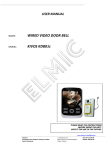
WIRED VIDEO DOOR BELL