1
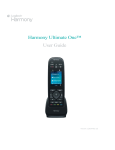
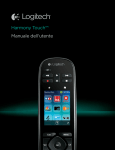
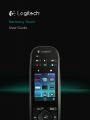
Harmony Touch User Guide
Harmony Touch at a Glance�����������������������������������������������������������������������������������1
How your Harmony Touch Works���������������������������������������������������������������������1
Devices �����������������������������������������������������������������������������������������������������������������������1
Activities����������������������������������������������������������������������������������������������������������������������1
Inputs �������������������������������������������������������������������������������������������������������������������������1
Favorites��������������������������������������������������������������������������������������������������������������������� 2
Myharmony.com����������������������������������������������������������������������������������������������������������� 2
Know your Harmony Touch ������������������������������������������������������������������������������� 2
Harmony Touch First Time Setup ����������������������������������������������������������������������3
Your Myharmony.com Account ������������������������������������������������������������������������ 3
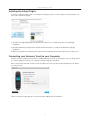
Installing the Setup Plugins �������������������������������������������������������������������������������4
Connecting your Harmony Touch to your Computer��������������������������������4
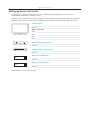
Setting up Devices to Control��������������������������������������������������������������������������� 5
Copying Setup Information for an Existing Remote ����������������������������������������������������������6
Adding Devices������������������������������������������������������������������������������������������������������6
Using the Teach Commands Function to Add a Device ����������������������������������������������������� 7
Adding an Unknown Device ������������������������������������������������������������������������������������������ 7
Setting up Activities���������������������������������������������������������������������������������������������9
Adding a Watch TV Activity ������������������������������������������������������������������������������������������9
Setting up Favorites ������������������������������������������������������������������������������������������� 10
Setting up Favorites When Your Provider is not Listed �����������������������������������������������������12
Setting up Favorites Manually
��������������������������������������������������������������������������������������13
Syncing your Harmony Touch������������������������������������������������������������������������� 14
Upgrading your Harmony Touch firmware�������������������������������������������������� 14
Testing your Setup����������������������������������������������������������������������������������������������� 14
Changing your Setup ������������������������������������������������������������������������������������������� 15
Syncing Your Remote Back to Myharmony.com ���������������������������������������15
Adding or Deleting Devices ����������������������������������������������������������������������������� 16
To Add a Device���������������������������������������������������������������������������������������������������������
16
To Delete a Device ����������������������������������������������������������������������������������������������������� 16
Modifying Device Settings ������������������������������������������������������������������������������������������ 16