1
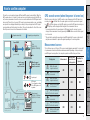
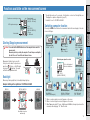
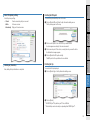
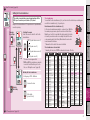
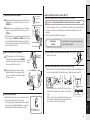
1 Signals from each sensor (speed, speed/cadence, cadence, heart rate, and power) are
searched at the time when the GPS search screen displayed when the power is turned
on, or the standby screen is changed to the measurement screen.
Receiving the GPS signal
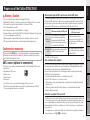
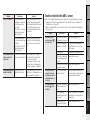
Sensor type
Method
Speed sensor
Cadence sensor
Wear the heart rate sensor
Power sensor
Ride the bicycle lightly
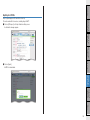
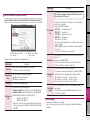
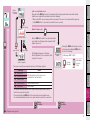
2 Among the pairing-performed IDs of each sensor, the sensor with the strongest signal
is received. The sensor signal icon corresponding to the received sensor appears on the
display, and measurement is started. Each sensor is displayed as follows.
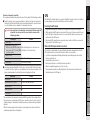
Sensor type
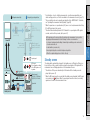
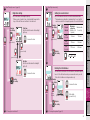
The unit may stop measurement or may not display appropriate measurements when the
GPS signal cannot be received in the following locations or environments.
• In a tunnel, underground and building, between high-rise buildings, under an elevated
structure and arcade, etc.
• In bad weather (snow, rain, etc.)
• Near a high-voltage line or a mobile telephone relay station.
• When the computer display does not face to the sky.
Uploading the
Setup of your PC measurement data
Heart rate sensor
Where the GPS signal cannot be received
How to use the
computer
Speed/cadence (ISC) sensor
* When using the CATEYE speed/ca- Move the magnet close to the sensor zone
dence sensor (ISC-11), select [ISC] (at a distance of less than 3 mm)
to perform paring.
• It may take several minutes to acquire the GPS signal after turning on the computer.
• While searching the GPS signal, we recommend that you do not move around until receiving the GPS signal. It may take more time to receive the GPS signal if you move around
while searching the GPS signal.
• Receiving the GPS signal becomes easier under such conditions that the sky is open and
the prospect for the satellites is good.
* The measurement results may differ slightly from the actual values, when the speed is
calculated based on the GPS signal.
Display
S
Speed/cadence (ISC) sensor
S and C flash simultaneously
Cadence sensor
C
Heart rate sensor
H
Power sensor
P
Changing the
computer
configuration
Speed sensor
Setting up the
computer
Caution: Any sensor that is not sending the sensor signal at this time cannot be
recognized. Each sensor sends the sensor signal in response to the
following operations.
GPS (Global Positioning System) is a system to identify the current position on the earth by
receiving highly precise positional information sent from a satellite.
How to install the
unit on your bicycle
GPS
Introduction
Procedure of automatic recognition
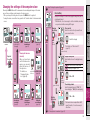
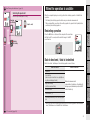
The computer automatically recognizes the sensor ID according to the following procedure.
Others
* The computer performs measurement using the GPS signal when the speed signal from
the speed sensor or speed/cadence (ISC) sensor cannot be received. In such a case, the
computer changes to measurement using the speed sensor whenever the speed signal is
detected.
* When the cadence signal, heart rate signal, or power signal cannot be received, the relevant measurement value is not displayed.
3