1
<800
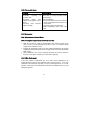
10.00Hz
power
30A-P-RP
filter: out
22.69mJ
laser
Trig 50us
>3Hz
range
A
100mJ
menu
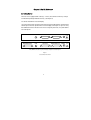
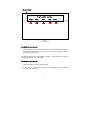
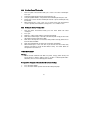
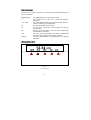
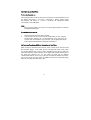
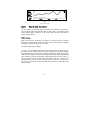
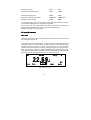
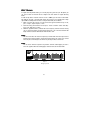
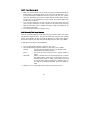
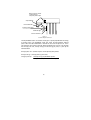
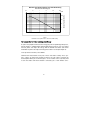
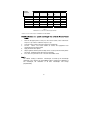
Figure 18
RP Energy Screen
7.6 Setup for RP - Rapid Pulse measurement
Your RP is capable of measuring rapidly pulsing laser pulses of any energy, from
fractions of a millijoule to 10 Joules or higher. To ensure that the instrument gives you
the best possible results, you must first set up your instrument to match the type of
laser that you use. This is described below.
After you have chosen the desired values from the setup screen, press “save” before
exiting to save these as the default value. If you want these values saved only until the
instrument is turned off, exit without saving.
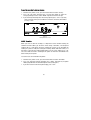
In order to choose the desired options from the main measurement screen, press
“menu”, select “RP config” and press “go”. Select the various options by pressing
“select” and “value”.
1. Energy or Power
With “energy” highlighted, press “value” to choose whether you want the startup
default mode of measurement will be “energy” or “power”. If you choose
“energy”, the RP will measure energy per pulse upon startup. If you choose
“power”, the RP will measure the average power.
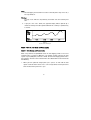
2. Filter OUT or IN
Now select “Filter:” and choose filter “OUT or “IN” depending on whether you are
going to work in the highest range which requires the filter to be inserted in the
head.
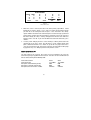
Note:
With the filter out setting on the most sensitive energy range, you can sometimes
get triggering from room light. If you want to work on the lowest range and get
triggering from room light, you have to somewhat darken the room.
68